
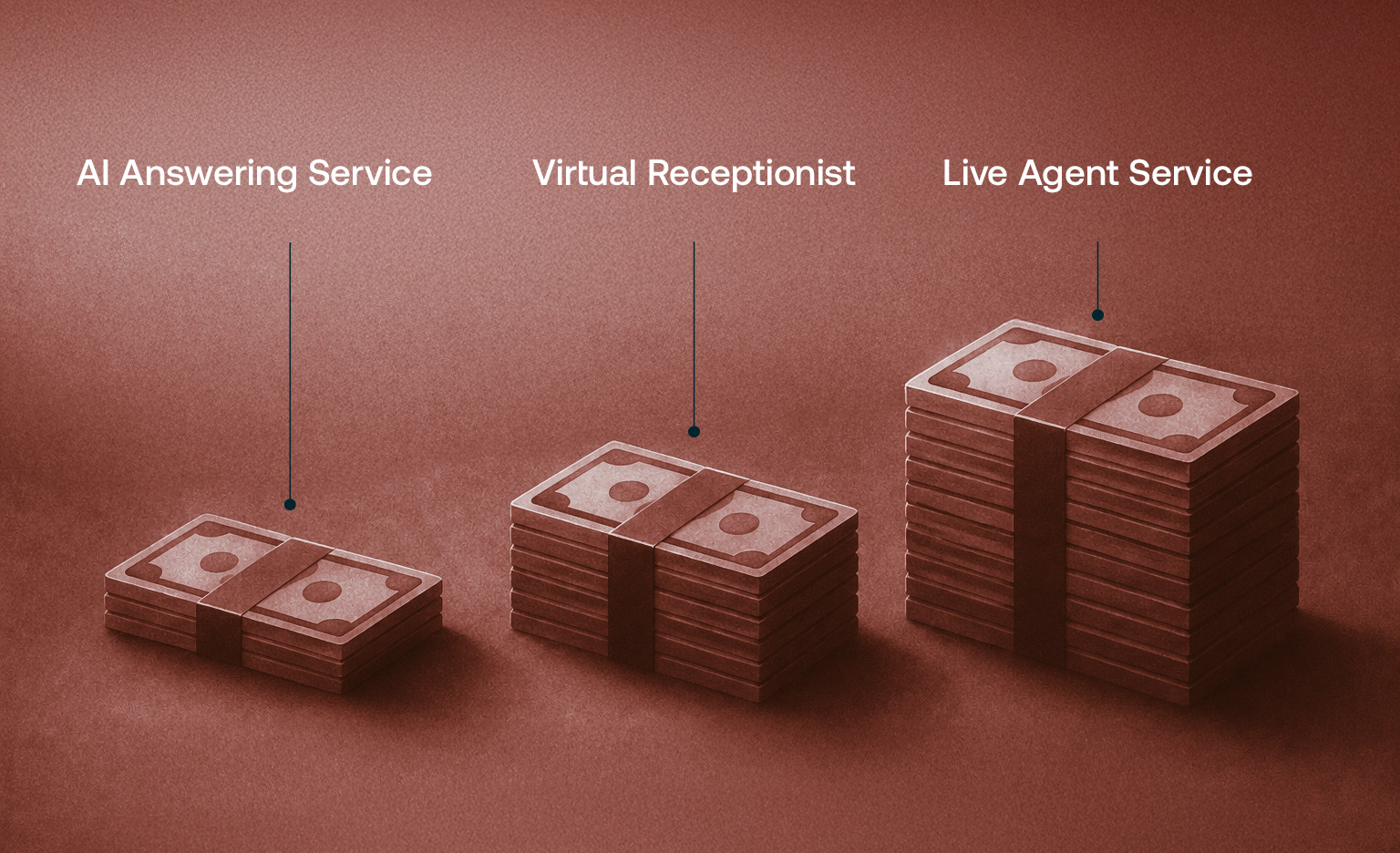
Here is the range across the three main options, based on published 2026 pricing.
The spread inside each row comes down to one thing: call volume for the human options, and how much is built and managed for you on the AI side. The rest of this guide explains what drives the number and where a home service business gets the most back for the spend.
There are four billing models in this market, and knowing which one you are looking at matters more than the sticker price.
The price drivers layered on top of the model are the same across nearly every vendor: your call volume, whether you need bilingual coverage, whether the service books appointments or just takes a message, whether it connects to your field service software, and any setup fee. Watch the overage rate and the add-ons, not just the headline plan price.
A live-agent service puts a human at an offsite call center on your line, working from a script you provide. Pricing is a monthly plan with included minutes, then per-minute overage. Here is what the major vendors publish for their standard live answering plans in 2026.
Two things to understand before the low entry price pulls you in. First, those entry plans include few or no minutes, so a shop with real call volume lands in the mid or upper tiers in practice. Second, the overage rate is where the bill moves. At $2.10 a minute, a run of long calls on a busy afternoon can push you past your plan before the month is half over. Bilingual coverage and extra scripts are typically add-ons, often around $20 a month each.
A contractor with steady call volume commonly spends $500 to $1,000 or more a month here, and the exact figure is hard to predict because it moves with your minutes.
A virtual receptionist is a live human trained to answer as your brand, hold a fuller conversation, take the lead, and book appointments, rather than just take a message. You pay for that higher touch. Plans generally run $300 to $2,000 or more a month. One provider example cited in an industry comparison runs $1,299 a month for 300 calls, with each call beyond that at $6.99.
The tradeoff to check: coverage varies by provider. Some virtual receptionist services run standard business hours unless you pay for extended coverage. Others, Ruby among them, advertise around the clock. Ask directly, because for the trades a large share of calls come at night and on weekends.
An AI answering service is software that holds a real conversation on the call: it greets the caller, answers questions, qualifies the lead, books the job, and escalates anything unusual to a human. The pricing model is almost always flat monthly, and most drop per-minute billing entirely.
The range here is wide because the tier of service is wide.
Cactus is in that done-for-you tier. It runs on flat monthly pricing, with no per-minute meter, no overage, and no setup fee. It answers every call around the clock, books appointments straight into Jobber and Housecall Pro, handles English and Spanish with automatic switching, and goes live in 48 to 72 hours. The point of the flat model is a bill you can predict, whether you take 40 calls in a week or 400. Book a demo and we will give you your number.
The monthly price is the part you can see. On any self-serve tool there is a second cost that never shows up on the invoice, which is your time building the thing.
Look at what the vendors themselves say the work is. Dialzara tells you to upload your FAQs, policies, and product information as business context, then use test calls to correct its mistakes in real time. The greeting is fully customizable, and the conversation flow, in their words, can be trained from scratch by providing example conversations and real-time feedback during test calls. Goodcall asks you to build and upload a document covering your services, FAQs, hours, policies, pricing, and brand tone, and its help center instructs you to update that document regularly as your business changes. Its getting-started collection runs 14 articles. Rosie trains itself from your website or Google Business Profile, then asks you to review and customize: confirm your business information, add specific FAQs, create a custom greeting, turn on spam filtering, and then call it yourself to test its responses and accuracy.
None of that is unreasonable. It is just work, and it is your work. You are the one who knows your pricing, your service area, your after-hours policy, and which calls need to reach you at 10 p.m. That knowledge has to get into the system somehow, and on a self-serve tool the person entering it is you or someone on your payroll. Then it has to stay current every time you change a price, add a town, or shift your hours.
So the question to ask about a lower-priced plan is not just what it costs. It is how many of your hours it costs, and whether those hours are worth more spent on jobs.
If someone on your team offers to build one from scratch, here is what that involves. Developer platforms like Vapi, Retell, and Bland publish per-minute rates that look small, roughly $0.05 to $0.31 a minute depending on the platform and the models you choose, plus telephony on top (a Twilio local number runs $1.15 a month plus $0.0085 a minute for inbound).
The per-minute rate is not the project. You are assembling and maintaining the phone number and call routing, the speech-to-text, the language model, the voice, the knowledge base, the call transfer and escalation logic, voicemail detection, and a web service you host to handle the platform's webhooks. And the piece a contractor actually cares about, booking into Jobber or Housecall Pro, is not part of either platform's standard setup. Vapi ships integrations for Google Calendar, Google Sheets, Slack, GoHighLevel, and Make. Retell's only native booking integration is Cal.com. Neither lists Jobber or Housecall Pro anywhere in its documentation, so you would write and host that integration yourself, then keep it working.
It is an engineering project with a permanent maintenance line, not a weekend setup. Worth knowing before anyone volunteers.
There are two different questions here, and vendors tend to answer the easier one. How fast it can be switched on is not the same as how fast it is answering your calls correctly.
Here is what the market publishes.
The traditional route front-loads homework onto you. PATLive's onboarding asks for a Zoom call of about 45 minutes, logins to your booking or CRM software, and a list of your frequently asked questions along with the answers. AnswerConnect will have a basic message script running almost immediately, but a script that actually reflects your business comes out of a 60-minute onboarding call. And once you are live, changes route back through the vendor: PATLive says call-handling updates typically take 24 business hours, and AnswerConnect asks for at least 3 business days to set a holiday script.
The self-serve route front-loads a different kind of work. Thirty minutes gets it answering. Getting it to answer the way you would answer takes as many rounds of testing and correcting as your business is complicated. It is also worth knowing that the maintenance never fully ends. In vendor-funded studies of much larger deployments, the ongoing management line never drops to zero, and those are companies with staff assigned to it.
We build it, you approve it. We take your services, your pricing, your service area, your hours, and your after-hours rules, and we configure the agent against them. You do not write scripts, build a knowledge base document, or run test calls to find out what it gets wrong. You review what we built, tell us what to change, and it goes live, typically within 48 to 72 hours.
The real difference is not the clock. It is who does the work. On a self-serve tool you are the implementation team, and every update after that is yours too. With a traditional service you do the homework up front and then wait on them for every change. With Cactus, the building and the upkeep sit with us.
Here is the number that should sit next to the monthly price: what your unanswered calls are already worth.
The data on home service calls is blunt. Invoca's 2026 home services benchmarks, drawn from a dataset of more than 70 million calls, found that only 52 percent of callers to home service businesses reach a person. In HVAC it is 34 percent, the second lowest of any trade they measured. Fewer than 3 percent of callers who land in voicemail leave a message, so the rest hang up and dial someone else. And 45 percent of the leads that do get answered convert on that call, which means the answered phone is where the job is won or lost.
Put a dollar figure on one of those calls. The example Invoca works through is a $4,500 furnace replacement. That is the revenue riding on a single call nobody picked up, and it is one call.
Run your own numbers. Enter your monthly call volume and your average job value in the calculator below, and it shows the revenue you are losing to missed calls and what answering them is worth over a year. It runs on a 20 percent missed-call rate drawn from Cactus customer data, which is well below the industry figures above, so the number it shows you is on the conservative side.
[EMBED: the missed-call ROI calculator from the oncactus.com homepage here, or link to it]
For most shops, the revenue lost to a handful of missed calls a week is larger than the monthly cost of answering them. That gap is the real reason to buy, and it is why cost per minute is the wrong thing to optimize for. Coverage is.
Price is the starting point, not the decision. For a contractor, weigh these next to the monthly cost:
Price is one risk. The other is paying for something that does not produce. It is worth knowing what each vendor actually puts behind their product, because there is a hierarchy here, and we went through the published terms of eighteen answering services and AI receptionists to map it.
A free trial is the common answer. Goodcall and Upfirst offer 14 days, PATLive offers 14 days, Rosie and Dialzara offer 7, Posh offers 7 days or 250 receptionist minutes, MAP Communications offers a week. A trial lowers the cost of finding out, which is worth something. It also expires long before you know what the service did to your booked-job numbers.
A money-back guarantee is rarer. Smith.ai refunds your first 30 days, capped at $1,000, for new clients, with overage excluded. Ruby refunds within 21 days or 500 receptionist minutes, whichever comes first, for new customers only. Both are satisfaction guarantees: if you are unhappy, you get your money back.
One to read closely: PATLive publishes something called a "30-Day Guarantee," but it is not a refund. It is a data-retention policy, meaning they hold your scripts and phone numbers for 30 days after you cancel.
A guarantee tied to a result is the one almost nobody offers. Across the eighteen providers we reviewed, including Smith.ai, Ruby, PATLive, Posh, AnswerConnect, Moneypenny, and the leading AI receptionist platforms, not one publishes a guarantee attached to a business outcome. Several publish impressive performance statistics on their sites. None of them puts money behind those numbers.
That is where Cactus is built differently. The Triple-Return Guarantee: if Cactus does not put at least 3x your monthly investment back in your pocket in new revenue, that month is free. Month to month, cancel anytime. That is a different promise from "we will refund you if you are unhappy." It is "we will refund you if it does not pay for itself three times over."
How much does an AI answering service cost per month?
Most AI answering services run on flat monthly pricing, from about $49 a month for self-serve tools up to around $1,000 a month for a done-for-you service that is built for your trade, integrated with your software, and managed for you. Unlike traditional live-agent services, most AI services do not charge per minute.
Is an AI answering service less expensive than a live answering service?
It depends on your call volume. A live-agent service bills a monthly plan plus per-minute overage, so the cost rises with your talk time and is hard to predict. An AI service on flat monthly pricing gives you the same cost whether you take 40 calls or 400, which usually works out better for a busy shop.
How many calls do home service businesses actually miss?
More than most owners would guess. Invoca's 2026 home services benchmarks found that only 52 percent of callers reach a person, and in HVAC it is 34 percent. Fewer than 3 percent of callers who land in voicemail leave a message, so most missed calls are not leads waiting on a callback. They are jobs that went to whoever picked up. What that costs depends on your average job value. Invoca's own example uses a $4,500 furnace replacement, which is the revenue on a single unanswered call. That is why the calculator above runs on your numbers rather than an industry average.
Does an AI answering service charge a setup fee?
Many do not. Cactus, for example, charges no setup fee and goes live in 48 to 72 hours. Traditional services sometimes charge a setup or onboarding fee, so ask before you sign.
Can an AI answering service book appointments?
Yes. A capable AI answering service does more than take a message. It checks your availability and books the job directly into your scheduling software on the call. Cactus books into Jobber and Housecall Pro.
How long does it take to set up an AI answering service?
It depends on who does the setup. Self-serve tools advertise about 30 minutes, but that is the time to switch it on, not the time to have it answering your calls correctly, which takes rounds of testing and correcting. Traditional answering services run an onboarding call plus homework from you, and published timelines range from 24 to 48 hours at Posh to roughly 10 days from the onboarding appointment in PATLive's own onboarding documentation. Cactus is built for you and typically goes live in 48 to 72 hours.
Do answering services offer a guarantee?
Most offer a free trial, typically 7 to 14 days. A few offer a money-back guarantee: Smith.ai refunds the first 30 days up to $1,000, and Ruby refunds within 21 days or 500 minutes. Guarantees tied to an actual business result are rare. Of the eighteen providers we reviewed, none published one. Cactus offers the Triple-Return Guarantee: if it does not put at least 3x your monthly investment back in your pocket in new revenue, that month is free.
Can I set up an AI answering service myself?
Yes, and the self-serve tools are built for exactly that. Just know what you are taking on: you build the knowledge base and FAQ answers, write the greeting, set the routing and escalation rules, connect the calendar and CRM, run test calls to catch mistakes, and keep all of it current as your pricing, hours, and service area change. The subscription is the smaller cost. Your hours are the bigger one.
Want to hear it before you price it? Call the Cactus demo line at (415) 903-6007 and talk to the AI the way your customers would. Or book a walkthrough and we will show you what it books in your first week.
© Copyright Cravd Inc. 2026. All rights reserved.